


Compatible with icclim 7.1.0+
Tutorial on calculating a climate index for the Number of heavy precipitation days#
About#
This tutorial will demonstrate how to calculate a climate index using a specific climate indices package. The example provided is of the Number of heavy precipitation days index, but similar principles can be applied to many other types of single or multi-variable indices available in the icclim package.
The data is provided by Copernicus Climate Change Service (C3S) and includes daily gridded meteorological data for Europe from 1950 to present derived from in-situ observations (E-OBS) of maximum temperature, minimum temperature, and precipitation.
The tutorial will first show how to download the necessary data from the C3S Climate Data Store (CDS). It will then describe how to calculate the Number of heavy precipitation days Index, and finally plot a map of the Number of heavy precipitation days climatology over Europe.
The steps shown in this tutorial can be applied to other climate datasets with the proper variable to calculate specific climate indices. For the current index, Number of heavy precipitation days, the Daily Precipitation variable is needed.
How to access the notebook#
This tutorial is in the form of a Jupyter notebook.
NBViewer |
|---|
|
(this will not run the notebook, only render it) |

To run this notebook in your own environment, we suggest you install Anaconda, which contains most of the libraries you will need. You also need at least python version 3.8 for this notebook to work because of some requirements from some packages.
You will need to install icclim (%pip install icclim) for calculating the climate indices, and the CDS API (%pip install cdsapi) for downloading data programatically from the CDS. You will also need to install matplotlib (%pip install matplotlib) and cartopy (%conda install cartopy) to enable plotting of the results. The % character is to ensure installation occurs in your environment. The installation of cartopy requires a conda
environment, if not already installed.
Search, download and view data#
Before we begin we must prepare our environment. This includes installing the Application Programming Interface (API) of the CDS, and importing the various python libraries that we will need.
Install CDS API#
To install the CDS API, run the following command if not already installed in your environment.
[ ]:
import os
from zipfile import ZipFile

import cartopy.crs as ccrs
import cdsapi
import matplotlib.pyplot as plt
import urllib3
import xarray as xr

import icclim

%pip install cdsapi
Install icclim#
To install icclim, run the following command if not already installed in your environment.
[ ]:
%pip install icclim
Install matplotlib and cartopy#
To install matplotlib and cartopy to enable plotting, run the following command if not already installed in your environment. A conda environment is expected as cartopy cannot be correctly installed with pip.
[ ]:
%pip install matplotlib
[ ]:
%conda install -y cartopy
Import libraries#
We will be working with data in NetCDF format and calculating climate indices. We will use the icclim package and its dependencies for working with multidimensional arrays, in particular Xarray. We will also need libraries for plotting and viewing data, in this case we will use Matplotlib and Cartopy.
[5]:
# CDS API
# icclim package for calculating climate indices
# To unzip dataset files from the CDS
# Libraries for working with multidimensional arrays
# To add specific units spelling
# Libraries for plotting and visualising data
# Disable warnings for data download via API
urllib3.disable_warnings()
Enter your CDS API key#
We will request data from the Climate Data Store (CDS) programmatically with the help of the CDS API. Let us make use of the option to manually set the CDS API credentials. First, you have to define two variables: URL and KEY which build together your CDS API key. The string of characters that make up your KEY include your personal User ID and CDS API key. To obtain these, first register or login to the CDS (http://cds.climate.copernicus.eu), then visit
https://cds.climate.copernicus.eu/api-how-to and copy the string of characters listed after “key:”. Replace the ######### below with this string.
[6]:
URL = "https://cds.climate.copernicus.eu/api/v2"
KEY = "#########"
Here we specify a data directory in which we will download our data and all output files that we will generate:
[7]:
DATADIR = "./"
Search for climate data to calculate the Number of heavy precipitation days#
The Number of heavy precipitation days index we will calculate takes one parameter as input, it is the daily precipitation accumulation. Data for this parameter is available as part of the E-OBS daily gridded meteorological data for Europe from 1950 to present, but we will select a shorter period so that the download is faster: we will select the period from 2011 to 2021. We will search for this data on the CDS website: http://cds.climate.copernicus.eu. The specific dataset we will use is the
E-OBS daily gridded meteorological data for Europe from 1950 to present derived from in-situ observations.
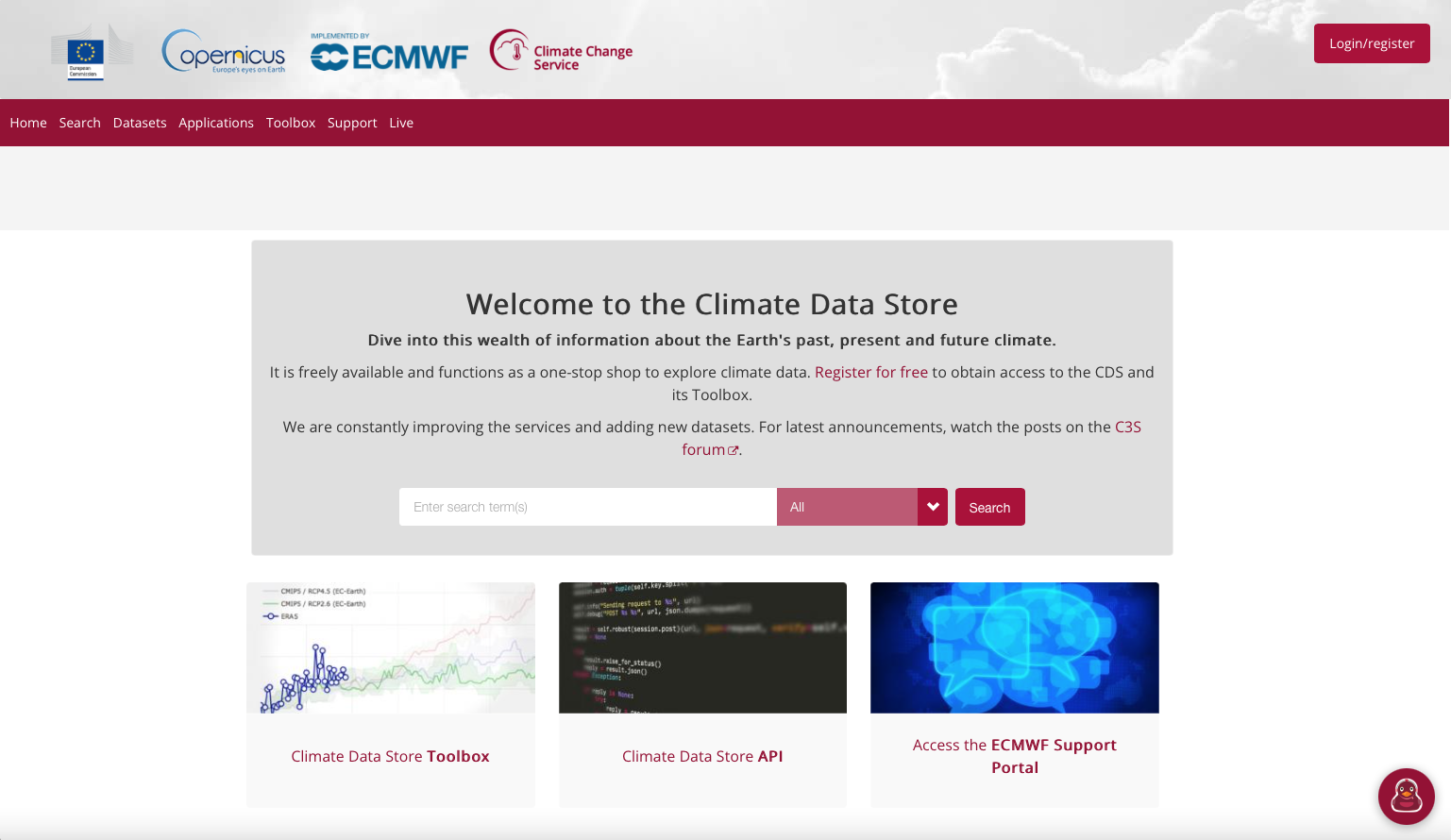
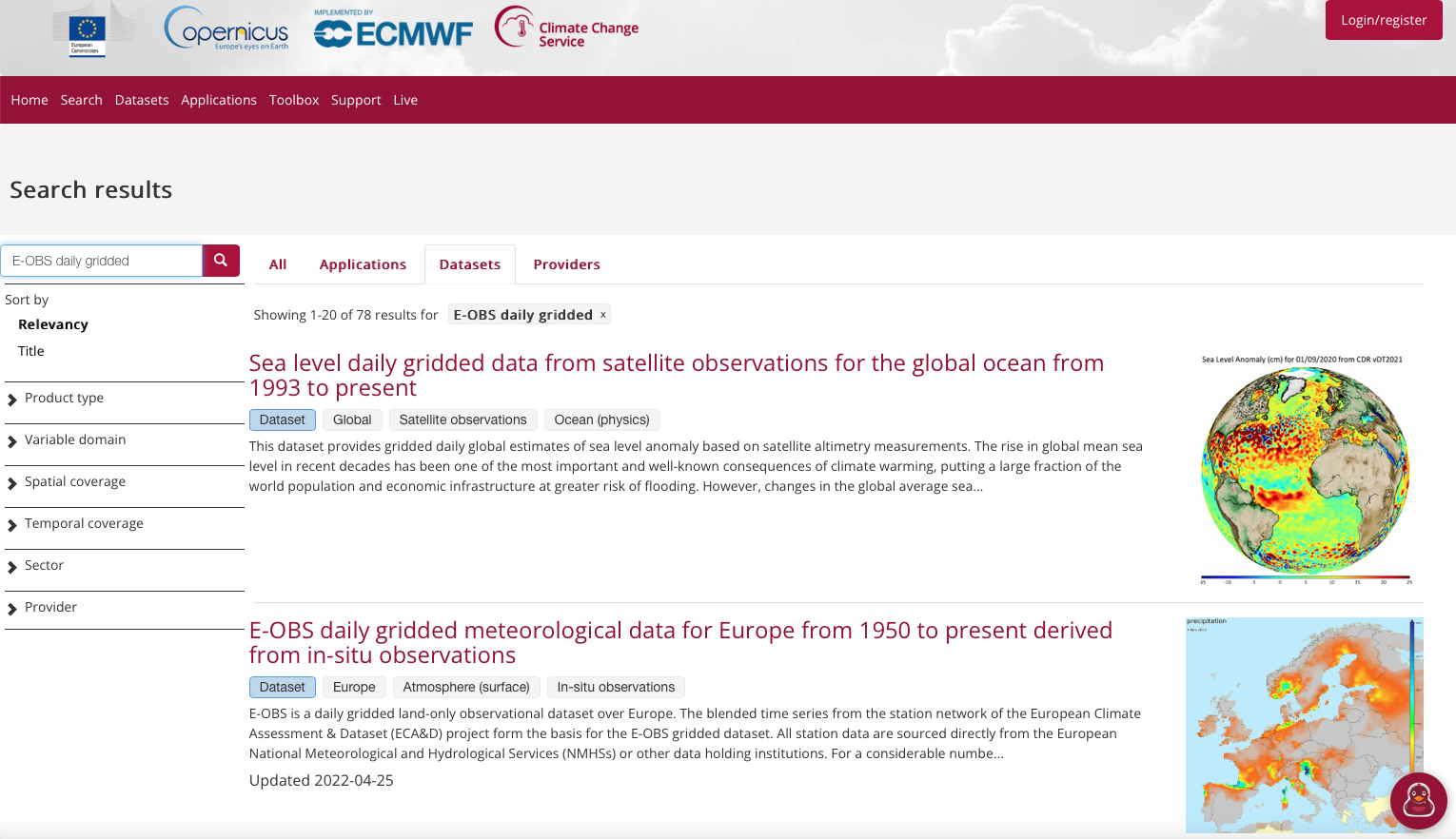
Having selected the dataset, we now need to specify what product type, variables, temporal and geographic coverage we are interested in. These can all be selected in the “Download data” tab. In this tab a form appears in which we will select the following parameters to download:
Product type:
Ensemble meanVariable:
Precipitation amountGrid resolution:
0.1degPeriod:
2011_2021Version:
25.0e(Latest version)Format:
Zip file (.zip)
At the end of the download form, select “Show API request”. This will reveal a block of code, which you can simply copy and paste into a cell of your Jupyter Notebook (see cells below). You will do this once for Precipitation amount.
Download data#
… having copied the API request into the cell below, running this will retrieve and download the data you requested into your local directory. However, before you run the cell below, the terms and conditions of this particular dataset need to have been accepted in the CDS. The option to view and accept these conditions is given at the end of the download form, just above the “Show API request” option.
[ ]:
c = cdsapi.Client(url=URL, key=KEY)

# For the full period, use period: 'full_period' but it takes a long time to download data
# To download last decade use 'period': '2011_2021',

c.retrieve(
    "insitu-gridded-observations-europe",
    {
        "format": "zip",
        "product_type": "ensemble_mean",
        "variable": "precipitation_amount",
        "grid_resolution": "0.1deg",
        "period": "2011_2021",
        "version": "25.0e",
    },
    "eobs_rr.zip",
)
Inspect Data#
We have requested the data in a zip archive. This zip archive contains a file in the NetCDF format. This is a commonly used format for array-oriented scientific data. To read and process this data we will make use of the underlying Xarray library that is used by the software to calculate the climate index. Xarray is an open source project and Python package that makes working with labelled multi-dimensional arrays simple and efficient. We will uncompress the archive and retrieve the filename(s). The archive could contain several files, but since we requested only one time period, we have a list of one file.
[8]:
# Create a ZipFile Object and load eobs_pr.zip in it
with ZipFile("eobs_rr.zip", "r") as zip_obj:
    # Get a list of all archived file names from the zip
    list_of_file_names = zip_obj.namelist()
    # Extract all the contents of zip file in current directory
    zip_obj.extractall()

# List the NetCDF filenames of the dataset
['rr_ens_mean_0.1deg_reg_2011-2021_v25.0e.nc']
Calculate Number of heavy precipitation days index using icclim#
Let’s calculate using icclim Number of heavy precipitation days (R10mm) function using the icclim software. We retrieve the calculated values in an Xarray dataset, but alternatively we could also write the values automatically in an output NetCDF file using the keyword out_file when calling the icclim function.
[9]:
# Fix unit of precipitation as in ERA5 it is in mm and there is no reference to the accumulation time
os.environ["HDF5_USE_FILE_LOCKING"] = "FALSE"
ds = xr.open_mfdataset(list_of_file_names)
ds.rr.attrs["units"] = "kg m-2 s-1"

# Add out_file='out_icclim.nc' to also output data into a NetCDF file
heavy_precipitation_days = icclim.index(
    index_name="R10mm", in_files=ds, slice_mode="year"
)
2022-08-10 14:13:03,001 --- icclim 5.4.0
2022-08-10 14:13:03,002 --- BEGIN EXECUTION
2022-08-10 14:13:03,002 Processing: 0%
2022-08-10 14:13:03,032 Calculating climate index: R10mm
rr_ens_mean_0.1deg_reg_2011-2021_v25.0e.nc
/Users/page/miniconda3/envs/icclimv5/lib/python3.8/site-packages/xclim/core/cfchecks.py:45: UserWarning: Variable has a non-conforming standard_name: Got `thickness_of_rainfall_amount`, expected `['precipitation_flux']`
  check_valid(vardata, "standard_name", data["standard_name"])
2022-08-10 14:13:03,486 Processing: 100%
2022-08-10 14:13:03,487 --- icclim 5.4.0
2022-08-10 14:13:03,487 --- CPU SECS = 10.807
2022-08-10 14:13:03,488 --- END EXECUTION
Before we plot the results, we can query our newly created Xarray dataset …
[10]:
heavy_precipitation_days
[10]:
<xarray.Dataset>
Dimensions:      (time: 11, longitude: 705, latitude: 465, bounds: 2)
Coordinates:
  * time         (time) datetime64[ns] 2011-07-02 ... 2021-07-02
  * longitude    (longitude) float64 -24.95 -24.85 -24.75 ... 45.25 45.35 45.45
  * latitude     (latitude) float64 25.05 25.15 25.25 ... 71.25 71.35 71.45
  * bounds       (bounds) int64 0 1
Data variables:
    R10mm        (time, latitude, longitude) float64 dask.array<chunksize=(1, 93, 141), meta=np.ndarray>
    time_bounds  (time, bounds) datetime64[ns] 2011-01-01 ... 2021-12-31
Attributes:
    title:        rain index R10mm
    references:   ATBD of the ECA&D indices calculation (https://knmi-ecad-as...
    institution:  Climate impact portal (https://climate4impact.eu)
    history:      Wed Aug 10 14:13:02 2022: ncatted -O -a units,rr,o,c,kg m-2...
    source:
Conventions: CF-1.6We see that heavy_precipitation_days (dataset for the Number of heavy precipitation days index) has one variable called “R10mm”. If you view the documentation of icclim you will see that this is the Number of heavy precipitation days valid for a grid cell at the surface. The units are days.
While an Xarray dataset may contain multiple variables, an Xarray data array holds a single multi-dimensional variable and its coordinates.
Now let’s plot the average Number of heavy precipitation days for this time over Europe, and we take the same European subset as that used for the C3S Climate Bulletins.
[11]:
# Set spatial extent and centre
central_lat = 53.0
central_lon = 7.5
extent = [-25, 40, 34, 72]  # Western Europe

# Calculate time average
r10mm_avg = heavy_precipitation_days["R10mm"].mean(dim="time", keep_attrs=True)

# Select European subset
r10mm_sub = r10mm_avg.where(
    (r10mm_avg.latitude < 72)
    & (r10mm_avg.latitude > 34)
    & (r10mm_avg.longitude < 40)
    & (r10mm_avg.longitude > -25),
    drop=True,
)

# Set plot projection
map_proj = ccrs.AlbersEqualArea(
    central_longitude=central_lon, central_latitude=central_lat
)

# Define plot
f, ax = plt.subplots(figsize=(18, 9), subplot_kw={"projection": map_proj})

# Plot data with proper colormap scale range
p = r10mm_sub.plot(cmap="RdBu_r", transform=ccrs.PlateCarree())

# Plot information
plt.suptitle(
    "Number of heavy precipitation days Index, Average over entire time period", y=1
)

# Add the coastlines to axis and set extent
ax.coastlines()
ax.gridlines()
ax.set_extent(extent)

# Save plot as png
plt.savefig(f"{DATADIR}E-OBS_r10mm_index.png")
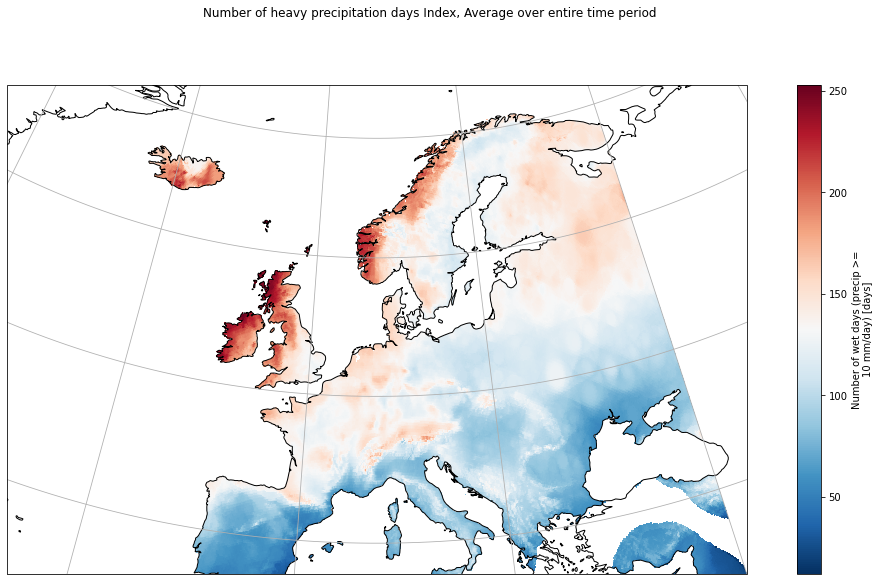
We can notice that we have the expected spatial gradient with more heavy rainy days in the northwestern coast along the ocean and in the mountains. Since the dataset only has data over the continent, the values over the sea are not to take into account.